
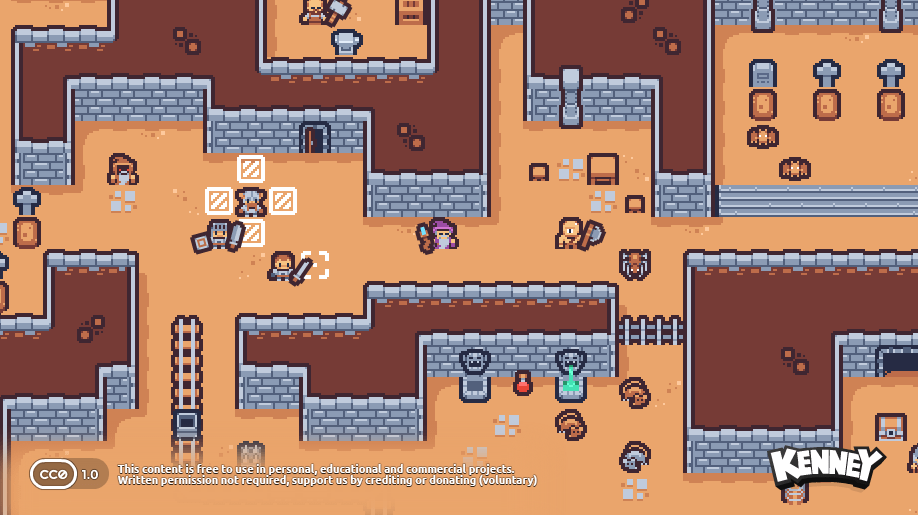
An attack connects and the enemy loses health, but the screen barely registers the hit. game-feel is a skill for Claude Code and Codex that guides changes such as brief pauses, screen shake and visible hit feedback. It is a useful starting point for refining one basic attack in a game that already runs.
I found it in Haosen’s November 8 post about game-development skills. When checked on November 11, the post showed about 11,000 views and 215 bookmarks. Of the skills listed, game-feel offered a straightforward change to demonstrate side by side.
What difference can you see?
The browser example below was built for this article after reading the game-feel instructions. Press Hit: both sides lose the same 20 health. The right side adds a hit tint, a squashed shape, a damage number and small particles. Pause to compare holds the impact frame so you can inspect it.
Open the comparison in a new tab
The example shows the same damage in two different ways. In your own game, start by asking whether it is easier to tell that an attack connected, then adjust the intensity. The example includes a switch to disable screen shake.
Install the skill
Open the game project you want to edit in Claude Code or Codex, then paste the request below. This installs only the game-feel folder from its creator’s repository. A skill provides working instructions for the agent; this folder contains feedback guidance and a supporting reference file.
Install skills/disciplines/game-feel from
https://github.com/gamedev-skills/awesome-gamedev-agent-skills
into this project.
For Codex, use .agents/skills/game-feel.
For Claude Code, use .claude/skills/game-feel.
Include the references folder. Do not overwrite existing files.
Copying the complete folder is covered in the creator’s installation guide. Project skill locations are also documented in the OpenAI Docs and Claude’s official documentation.
Try this on one basic attack
After installation, make a request like this. You can replace “basic attack” with another working action, such as landing from a jump or picking up an item.
Use the game-feel skill to refine the basic attack's hit feedback.
First identify this project's engine and where a hit is registered.
Keep hit detection and damage unchanged. Start with a visible hit
response and a brief pause. Add gentle screen shake with an off switch.
Change only the basic attack, then run it and check the result.
Inspect the first result, then ask for a focused adjustment: “Keep the hit response and reduce only the shake.” This skill covers shake, brief pauses and scale changes. Keeping jump distance and combat rules as separate changes makes the result easier to assess. The skill’s scope makes a similar distinction.
Check these things afterward
- Repeated attacks should return to normal movement speed.
- Character scale and camera position should return to their original values after each effect.
- Hits should remain readable with screen shake disabled.
Features and installation locations were checked on November 11, 2026. The skill files are published under Apache-2.0; your AI tool’s charges are separate. My own game projects and related work are collected under Game development.

Comments and questions
Post, edit or delete a comment using a name and password. Use a password you do not use elsewhere.