
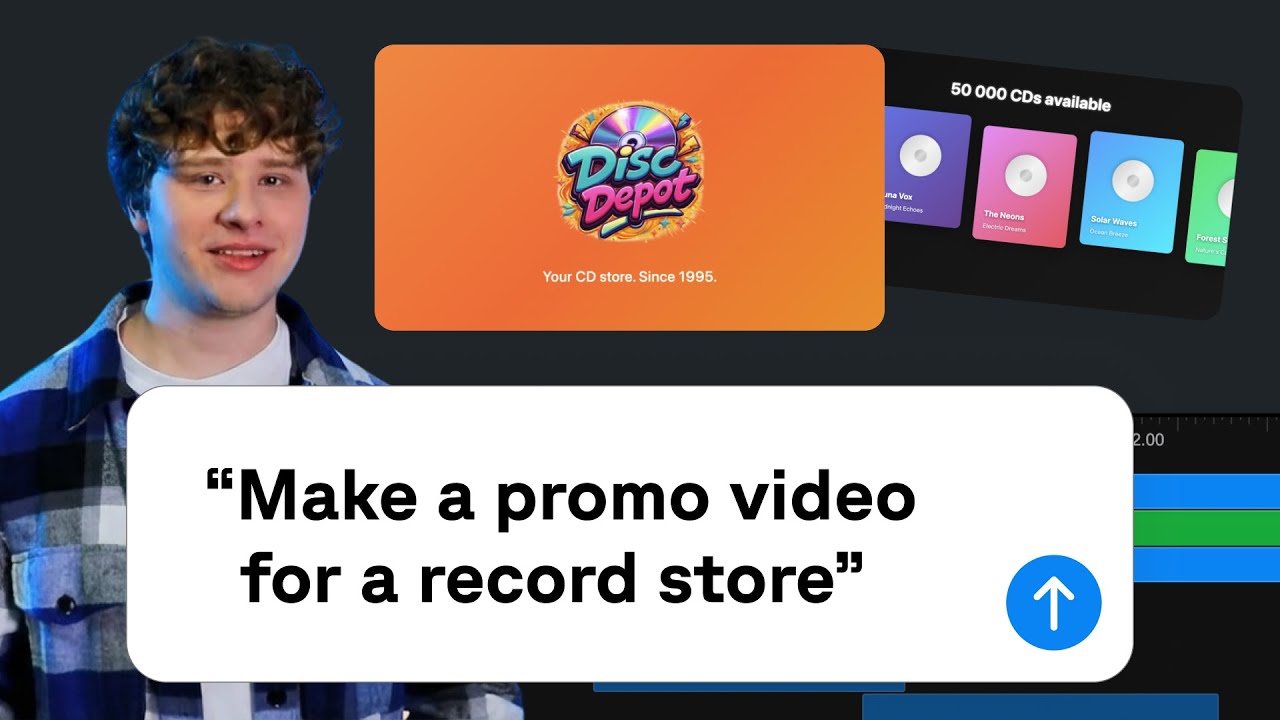
If you need a short video for an app or service, Remotion’s official skills are worth a look. They guide coding agents such as Claude Code and Codex as they write video code, including animated text, product screens and transitions timed to music.
Watch the official finished example — starting at 4:45
The embedded video above comes from Remotion’s official channel. The tutorial adds agent skills, builds a promo for a CD store and later adds motion that reacts to the music. Watch the result first; to see how it is made, start at 2:06. Published on February 4, 2026, the tutorial uses OpenCode. The current official skills also support Claude Code and Codex. Supported tools and installation
How could this help with a product video?
The example adjusts the position and entrance timing of CD cards and text, then connects the motion to music. For your own app, you could open with its screen, demonstrate two main features and finish with its name and where to get it. A feature change can then become a revision to that scene’s text or visuals.
For another app-focused example, see @Shpigford’s Presscut product demo. Remotion’s official gallery includes both the video and its prompt. It is useful for thinking about the order in which to show a product’s screens.
I found the topic in Dumble’s November 10 skills roundup on X. When checked on November 12, it displayed 108,599 views and 2,634 bookmarks. This article focuses on Remotion, with official examples and setup instructions.
Start with the installation
With Node.js and Claude Code or Codex ready, create a video project in a separate workspace. These commands follow Remotion’s official setup guide.
npx create-video@latest --yes --blank my-video
cd my-video
npx remotion skills add
npm run dev
Choose your agent during installation, then open the preview address printed by npm run dev. Open the same my-video folder in your coding agent. Put the app screens, logo and music and effects you have permission to use in public/materials.
Ask for your own app video
Use the official examples as a reference while supplying your product’s actual screens and features.
Use the remotion-best-practices skill to make a 20-second app promo.
Use the app screens, logo, music and effects in public/materials.
Open with the app, show two main features, then finish with its name
and where to get it.
Time scene changes to the music and effects to the visible actions.
Outline three scenes first, then open the preview.
After watching the preview, identify the scene you want changed:
Zoom into the first scene so the feature is immediately clear.
Reduce small explanatory text and balance effects below the music.
Keep the total duration and export an MP4.
Check the costs
As checked on November 12, 2026, Remotion’s pricing page offers a free license for individuals and companies of up to three people. Larger organizations should check the company-license terms. Your AI subscription and external music or image costs are separate.
The example links lead to their creators’ original pages. Remotion produced and published the official tutorial; its gallery credits the Presscut example to @Shpigford.
Comments and questions
Post, edit or delete a comment using a name and password. Use a password you do not use elsewhere.