
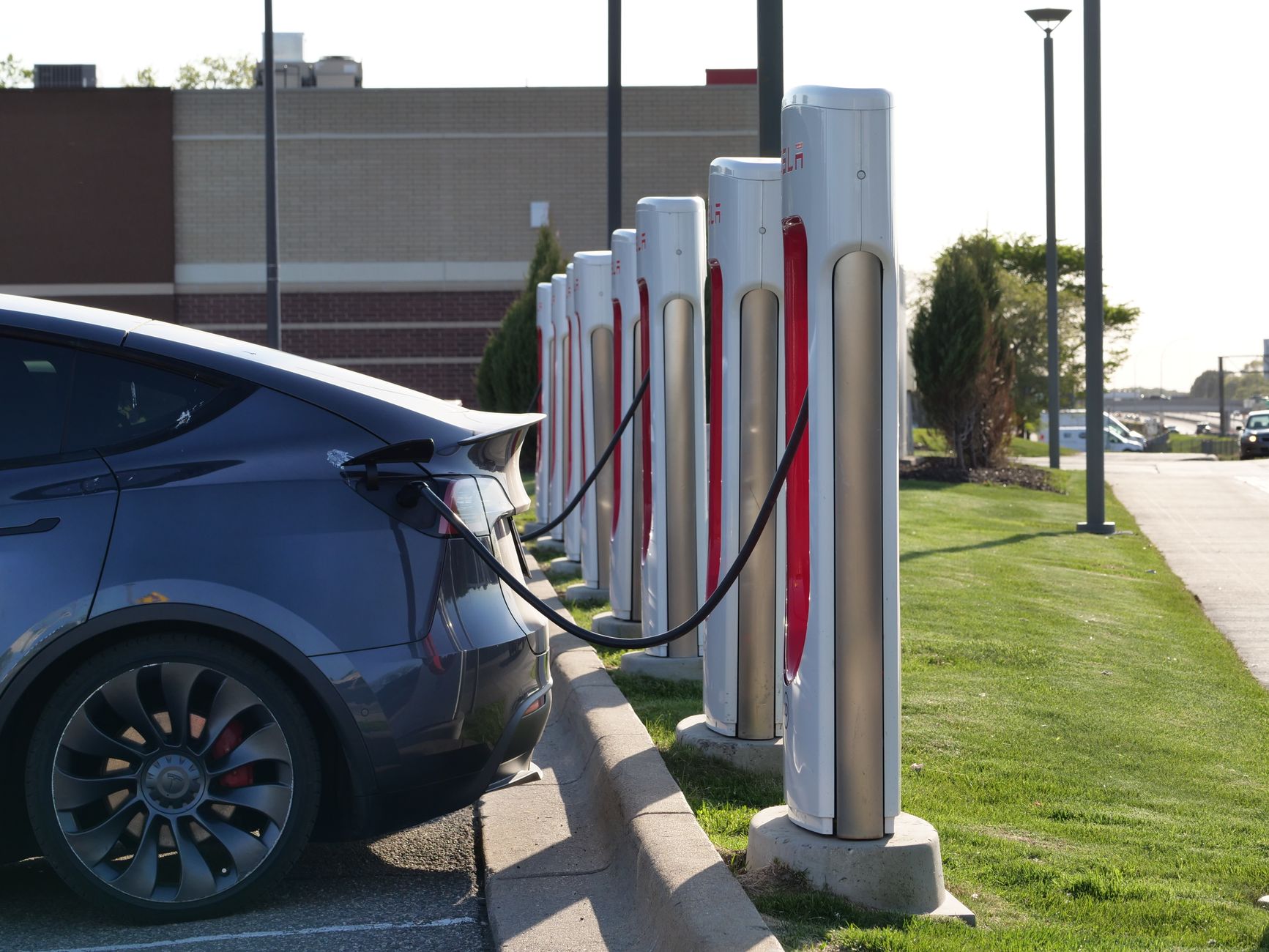
A station may be listed at 250 kW while your Tesla displays a much lower number. The station’s maximum output and the power your car is receiving now are different values. If charging seems slow, check current power, battery charge level, preconditioning, then remaining time and status messages to narrow down the cause.
This guide follows Tesla’s Korean support pages and Model Y manual, checked on November 13, 2026. It covers Tesla vehicles using Superchargers.
1. Separate the station maximum from current power
The kW shown on a station’s map card is its maximum available output. The charging screen shows the power your car is receiving now. Tesla lists battery size, age, charge level, temperature and vehicle configuration among the factors affecting actual speed. Official Supercharging guidance
Read the numbers separately:
| Value | What does it show? | When is it useful? |
|---|---|---|
| Station maximum kW | The station’s maximum available power. | Choosing a station. |
| Current power, kW | The power reaching the car now. | Checking the current rate. |
| Energy added, kWh | The amount of energy added in this session. | Checking how much you have charged. |
| Time remaining | An estimate to the selected charge limit. | Planning time to your current target. |
The meanings of current power and remaining time are described in the Model Y charging-screen guide. Distinguishing kW from kWh helps separate charging rate from energy added.
2. Check how full the battery is
Charging slows as the battery fills. A high kW figure seen at a lower charge level will not stay constant through the entire session. Tesla notes that reaching 100% generally takes substantially longer than reaching 80%. Charge level and speed
On a road trip, also look at Trip Planner’s recommended charge level for the next leg. For daily charging, follow the limit recommended by your vehicle. The touchscreen or app shows the recommendation for its battery. Vehicle-specific charge limits
3. In cold weather, check navigation and preconditioning
If you plan to Supercharge, set a route to that station in the car’s navigation. Tesla’s winter guide says Trip Planner shows the expected arrival charge and recommended charging time, and preheats the battery as you approach a Supercharger. A cold battery can take longer to prepare for fast charging. Winter driving tips
Preconditioning before leaving home and navigating to a Supercharger can both help prepare the car. When plugged in before departure, the car can use external power to prepare the cabin and battery. Consider preparation and how power changes after arrival alongside the first low reading you see.
4. Do not calculate the whole session from peak power
Think in terms of energy to add, in kWh, divided by average power over that period, in kW. Suppose you want to add 30 kWh:
- At an assumed constant average of 120 kW,
30 ÷ 120 hoursis 15 minutes. - At an assumed constant average of 60 kW,
30 ÷ 60 hoursis 30 minutes.
These are illustrative assumptions. Actual power changes during a session, and energy is also used for tasks such as temperature management. The station’s 250 kW maximum alone is therefore a poor basis for a finish-time estimate. Adjust your stop using the car’s remaining-time display and Trip Planner’s recommendation.
Separate slow charging from charging that has not started
First distinguish charging at low power from being connected but waiting. These indicator descriptions follow the current Korean Model Y manual.
| What you see | What to check first |
|---|---|
| Charge level rises and the green light flashes. | Charging is underway. Check current kW and time to your target. |
| A solid blue light. | Connected but not charging. Read the status message on the screen. |
| A red light. | Charging has stopped because of an error. Read the displayed warning. |
Charge-port lights and status descriptions
If the charger itself is not working, Tesla advises trying another charger at the same site. You can report an issue in the Tesla app. Keeping the location, stall number, time and warning details makes the situation easier to explain. Troubleshooting guidance
This article reworks Teslickorea’s October 6, 2026 charging-time guide. It replaces the broad emphasis on AC equipment specifications with a focused screen-reading sequence, checks current official guidance and adds an average-power calculation example. The photograph is by Giant Asparagus on Pexels, used under the Pexels License.

Comments and questions
Post, edit or delete a comment using a name and password. Use a password you do not use elsewhere.